
In this guide
Getting startedConnect Claude Code or CodexYour first sessionThe Inbox and statusesBring in a session from another terminalPet StudioTerminal themesPrivacy and safetyTroubleshootingUninstallEveryday use · 2 min read
Bring in a session from another terminal
Sessions you started in iTerm, Ghostty, VS Code or Terminal show up on their own. Move one here to keep working on it in Agents Keeper.
Find it
Sessions found elsewhere are marked with where they run, like External · iTerm. You can read them right away; nothing is changed.
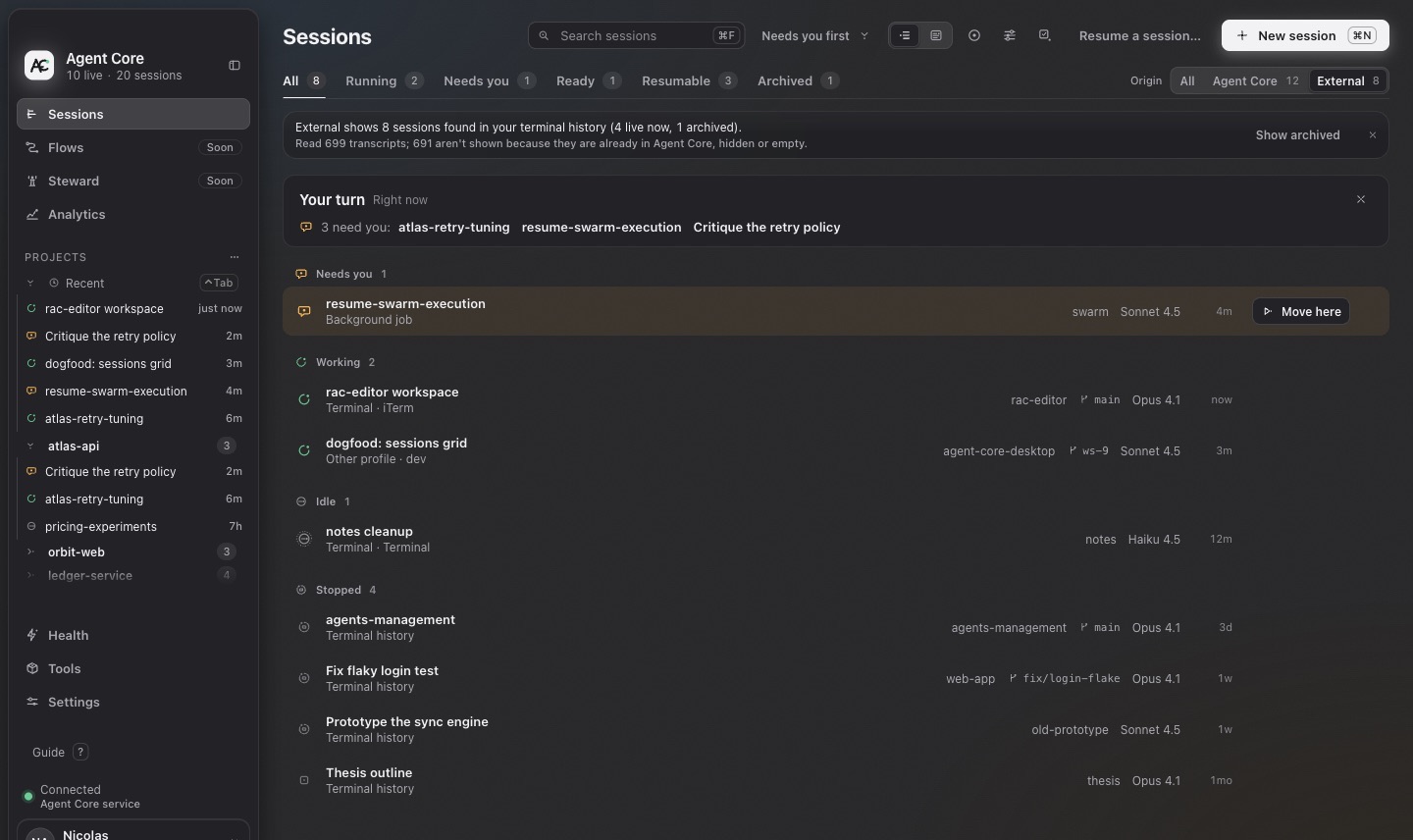
Move it here
- Open the session and choose Move here.
- macOS shows Agents Keeper's confirmation: the conversation will close in the other terminal and continue here. Unsaved input typed in that terminal is lost.
- Choose Move here. The same conversation continues in a durable Agents Keeper session.
Tick “Don't ask again for Claude Code sessions” (or Codex) to skip the confirmation next time. You can revoke it in Settings → Sessions.